Update 2012-01-23: Added note about .NET framework
Martin Hinshelwood wrote an excellent post recently http://nakedalm.com/team-foundation-server-2010-event-handling-with-subscribers/ ) about a new type of integration available in TFS 2010, namely server side event handlers, that is executed within the TFS context. I wasn’t aware of this new feature and as Martin notes, there doesn’t seem to be any material/documentation of it at all. Previously, when you wanted some custom action to be executed when some event occurs in TFS (check-in, build completed…) you wrote a web/WCF service with a predefined signature and subscribed to the event using bissubscribe.exe. Usually you want to get more information from TFS than what is available in the event itself so you would have to use the TFS client object model to make new requests back to TFS to get that information. The deployment of these web services is always a bit of a hassle, especially around security. Also there is no way to affect the event itself, e.g. to stop the event from finishing depending on some condition. This can be done using server side events.
The deployment of a server side event handler couldn’t be simpler, just drop the assembly containing the event handlers into the Plugins folder of TFS, which is located at C:Program FilesMicrosoft Team Foundation Server 2010Application TierWeb ServicesbinPlugins. TFS monitors this directory from any change and will restart itself automatically, so the latest version will always be executed.
In this first post on this subject, I will describe how to set up your development environment to make it easy to both deploy and debug your event handler.
**Install TFS 2010 **I recommend that you install a local copy of TFS 2010 on your development machine. For this scenario, you only need the Basic version which is a breeze to install. It took me about 10-15 minutes to install and configure it the last time I did it. This will make your TFS development and customization much more efficient than using a share remote server, and you can pretty much assault it as much as you want since it is your private server! 🙂 \
**Run Visual Studio 2010 as admin **To be able to deploy your event handler automatically (see next step), you need to run Visual Studio in administration mode \
**Create the Event Handler project **To setup the project, create a standard C# class library. Note that the project must be .NET 3.5 (or lower), NOT .NET 4.0 since TFS is running on .NET 2.0 it can’t load a .NET 4.0 assembly in the same app domain. Martin has written about what you need to reference in his post. Since he was using VB.NET in his sample, I thought that I include a C# version of a minimal WorkItemChanged event handler: \
CodehighlightingproducedbyActiproCodeHighlighter(freeware)http://www.CodeHighlighter.com/usingSystem;usingSystem.Diagnostics;usingMicrosoft.TeamFoundation.Common;usingMicrosoft.TeamFoundation.Framework.Server;usingMicrosoft.TeamFoundation.WorkItemTracking.Server;namespaceTFSServerEventHandler{publicclassWorkItemChangedEventHandler:ISubscriber{publicType[]SubscribedTypes(){returnnewType[1]{typeof(WorkItemChangedEvent)};}publicEventNotificationStatusProcessEvent(TeamFoundationRequestContextrequestContext,NotificationTypenotificationType,objectnotificationEventArgs,outintstatusCode,outstringstatusMessage,outExceptionPropertyCollectionproperties){statusCode=0;properties=null;statusMessage=String.Empty;try{if(notificationType==NotificationType.Notification&¬ificationEventArgsisWorkItemChangedEvent){WorkItemChangedEventev=notificationEventArgsasWorkItemChangedEvent;EventLog.WriteEntry("WorkItemChangedEventHandler","WorkItem "+ev.WorkItemTitle+" was modified");}}catch(Exception){}returnEventNotificationStatus.ActionPermitted;}publicstringName{get{return"WorkItemChangedEventHandler";}}publicSubscriberPriorityPriority{get{returnSubscriberPriority.Normal;}}}}
This event handler doesn’t do enything interesting, but just logs information about the modified work item in the event log.
**Deploy your event handler
**Open the project properties and go to the Build tab. Modify the Output Path by browsing to the Plugins directory (see above). This will result in a new
deployment of your event handler every time you build. Neat! :-)
If you look in the Event log after you compile your project, you will see entries from TFS Services that looks like this:
As you can see, TFS has noticed that a new version of the event handler has been dropped in the plugins folder and therefor it is performing a restart. You will notice that TFS becomes temporarily unavailable while this happens.
Try modifying a work item and verify that information about it is written in the event log. (Note: You will need to create a event source called “WorkItemChangedEventHandler”, otherwise the EventLog.WriteEntry call will fail.
Debug the event handler
Since these types of events aren’t very well documented it’s useful to debug the event handlers just to find out how your handler is called and what the parameters contain.
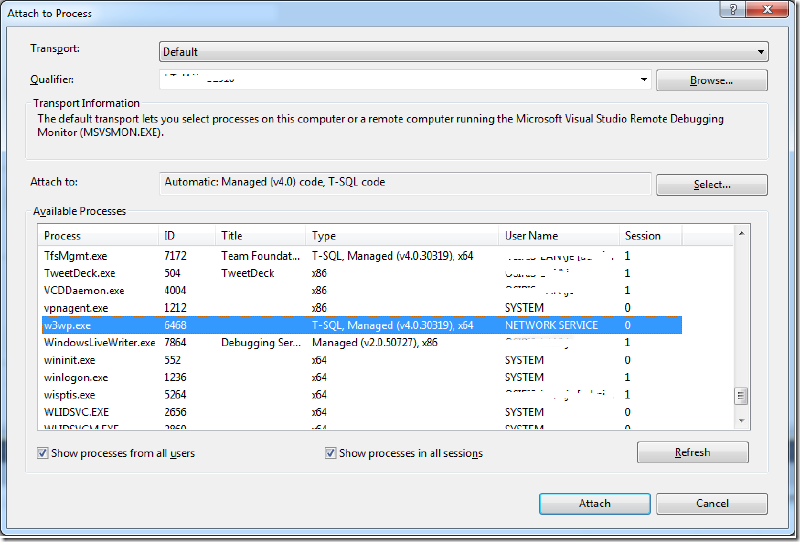
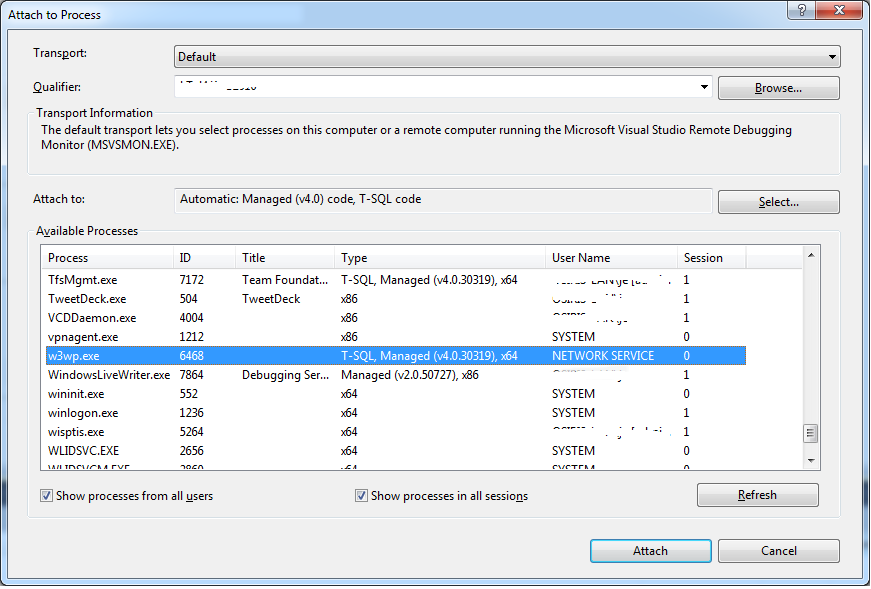
To do this, to to the Debug menu och select Attach to Process. Check both Show processes from all users and Show processes in all sessions and locate the w3wp process that hosts TFS.
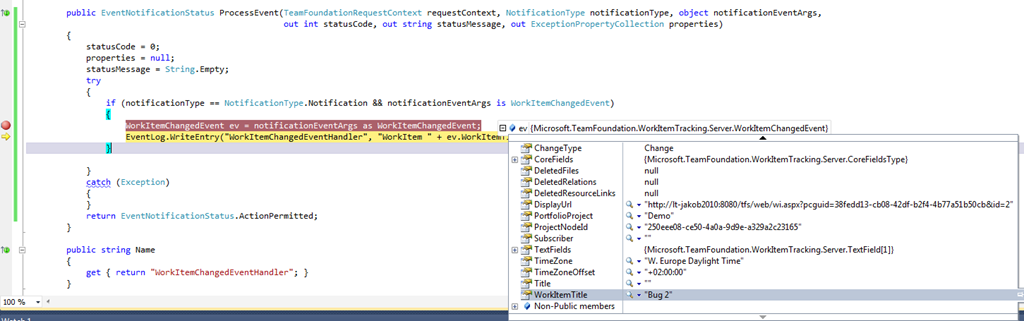
imageSelect Attach to start the debugging session. Set a break point in the ProcessEvent method and then modify a work item in TFS. This should cause your event handler to be executed immediately:
This is very helpful. I’m trying to implement a custom check-in event handler and trying to leverage your idea. Our check-in handler should extract some meta data from the checked-in file and push it to application database. I exactly followed your approach for CheckinEvent with no luck. For some reason, it does not break the debug point. However, when I ran your sample for “WorkItemChangedEvent” is works just fine. Am I missing something? Appreciate your feedback. Please see below the my code:
using System; using System.Diagnostics; using Microsoft.TeamFoundation.Common; using Microsoft.TeamFoundation.Framework.Server; using Microsoft.TeamFoundation.VersionControl.Common; using Microsoft.TeamFoundation.WorkItemTracking.Server;
namespace TFSServerEventHandler { public class CheckinEventHandler : ISubscriber { public Type[] SubscribedTypes() { return new Type[1] {typeof(CheckinEvent) }; }
public EventNotificationStatus ProcessEvent(TeamFoundationRequestContext requestContext, NotificationType notificationType, object notificationEventArgs, out int statusCode, out string statusMessage, out ExceptionPropertyCollection properties) {
I am trying to get this sample working but for some reason it doesn’t seem to fire this event at all. And I used exactly the same code as in the post? Any ideas what might be stopping it? Also trying to remotely debug and breakpoints don’t get hit?
Note for Stephen: have you compiled your plug in in debug and copied the .pdb file over?
Me again: ignore the first part of my post from before - i ended up getting it working. I also got the Check in Event working if anyone is interested. Code below - One thing I had to do though to succesfully debug it was put System.Diagnostics.Debugger.Break(); in the code - without it it wouldn’t break ever?
using System; using System.Diagnostics; using Microsoft.TeamFoundation.Common; using Microsoft.TeamFoundation.Framework.Server; using Microsoft.TeamFoundation.WorkItemTracking.Server; using Microsoft.TeamFoundation.VersionControl.Common; using Microsoft.TeamFoundation.VersionControl.Server;
namespace TFSCheckInEventHandler { public class TFSCheckInEventHandler : ISubscriber { public Type[] SubscribedTypes() { return new Type[1] { typeof(CheckinNotification) }; }
public EventNotificationStatus ProcessEvent(TeamFoundationRequestContext requestContext, NotificationType notificationType, object notificationEventArgs, out int statusCode, out string statusMessage, out ExceptionPropertyCollection properties) { statusCode = 0; //System.Diagnostics.Debugger.Break(); properties = null; statusMessage = String.Empty; try { if (notificationType == NotificationType.Notification && notificationEventArgs is CheckinNotification) { CheckinNotification ev = notificationEventArgs as CheckinNotification; } } catch (Exception) { } return EventNotificationStatus.ActionPermitted; }
public string Name { get { return “TFSCheckInEventHandler”; } }
public SubscriberPriority Priority { get { return SubscriberPriority.Normal; } } } }
great information but I am getting errors when my component tries to access and read an element in a app.config file. ConfigurationManager.AppSettings[“somekey”]; Any Ideas why?
I was able to successfully record all the CheckinNotification properties to a file when a checkin was performed on TFS via a custom plugin. (thanks) Currently I want to know the project name of the checkin. I currently preface the comment with the project name, but I am looking for an automatic way of retrieving this information. If anyone has any ideas please let me know. Have a great day! Bill\
@Richard: You is no application configuration file associated with a server side event handler, since it is hosted inside TFS. If you need configurablility, you need to resort to either the Windows or the TFS registry
@Jakob I am also looking for the same info as @Bill - I can’t figure out how to get the Team Project name programmatically from in the CheckinNotification scenario. Any ideas? Thanks
I followed the steps you listed but when I try to debug the code by attaching to the process, I get the following error eventhough the project is .NET 3.5.
{“Microsoft SharePoint is not supported with version 4.0.30319.261 of the Microsoft .Net Runtime.”}
I have tried creating new project from scratch to make sure it is .NET 3.5 based, but it gives same error.
Hi Jakob, I am working with event handler for extracting check-in information and was able to develop and dropped in plugins, but I would also require additional info such as check-in filename, project name od check-in file, etc. any kind of help on this would be really greatly appreciated Mr. Jakob. Thanks
where can I get those 2012 assemblies? We have a 2010 production server but we plan to migrate soon so I installed a tfs 2012 express on my dev machine. But your example doesn’t work against that version when compiled with 2010 assemblies. Unfortunately I cannot find the needed assemblies on my local server. Maybe because it’s an express version?
Indeed a good article Recently I have tested a tool called Lepide Event Log Manager its really a nice management of all event log in your machine Check it once you will surely like its functionalities http://www.windowseventlogmonitor.com/
it was a good article. I have sued this in my sample application and here is what I need. Ima ble to capture events, but only after saving the work item. So when I change a state from new to close and click save, the event is fired. But the work item is already saved, and history for the work item is logged. now the event handler changes the status from close to new, due to some business logic, and again the history is logged. I would like to eliminate two history events, which would confuse the developer. It typically means, I should not be capturing the workitem event, but event of the field. in my case status field on change. Let me know if any one has any insight in this direction. Any help is appreciated.
Thanks for this article. I wanted to ask if this is possible with Java SDK for TFS? My end goal is to call a external web service when a work item is changed in TFS. Is this possible through Java SDK provided by Microsoft? Please HELP.
For TFS 2012, where would the Plugins folder of TFS be? I can’t find anything even remotely like that for 2010 on my server, but really need it to work on 2012 and 2013…
@sumukh: This technique is not possible using Java, but you can use the standard alert mechanism in TFS by invoking a SOAP web service when a work item is changed.