In most projects that I’ve been part of, sooner or later the need for various types of automation jobs arises. For example cleaning up old files, moving database backups, running health checks or system tests and so on.
Historically we’ve implemented these tasks using for example the Windows task scheduler, or through some custom Windows Service app. More recently, we’ve been using Azure Automation jobs for this. Sometimes it can also make sense to use CI/CD automation tools like Azure DevOps for these jobs.
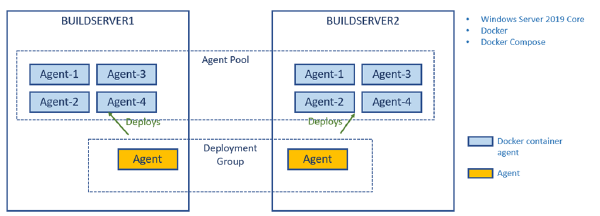
In a previous post I talked about how to create a build environment, including an Azure DevOps build agent, using Docker and Windows Containers. Using Dockerfiles, we can specify everything that we need in order to build and test our projects. Docker gives us Infrastructure as Code (no more snowflake build servers) and isolation which makes it easy to spin up multiple agents quickly on one or more machines without interfering with each other.
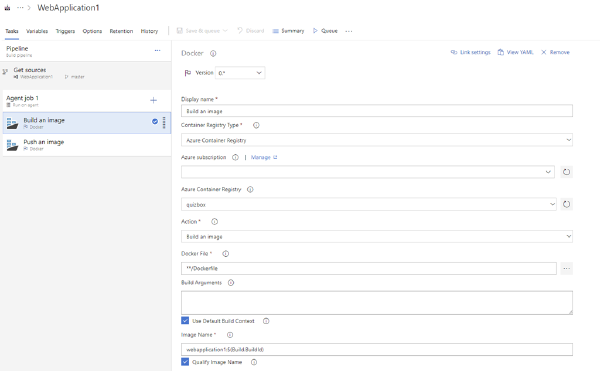
I’ve recently given talks at conferences and user groups on the topic of using Docker as a build engine, describing the builds using a Dockerfile. This has several advantages, such as fully consistent build no matter where you run it, no dependencies necessary except Docker.
Some things become a bit tricker though, I’ve blogged previously about how to run unit tests in a Docker build, including getting the test results out of the build container afterwards.
Having automated builds that are stable and predictable is so important in order to succeed with CI/CD. One important practice to enable this is to have a fully scriptable build environment that lets you deploy multiple, identical, build envionment hosts. This can be done by using image tooling such as Packer from HahsiCorp. Another option is to use Docker which is what I am using in this post.
Using Docker will will crete a Dockerfile that specifies the content of the image in which builds will run. This image should contain the SDK’s and tooling necessary to build and test your projects. It will also contain the build agent for your favourite CI server that will let you spin up a new agent in seconds using the docker image.
Using Docker for compiling your code is great since that guarantees a consistent behaviour regardless of where you are building your code. No matter if it’s on the local dev machine or on a build server somewhere. It also reduces the need of installing any dependencies just to make the code compile. The only thing that you need to install is Docker!
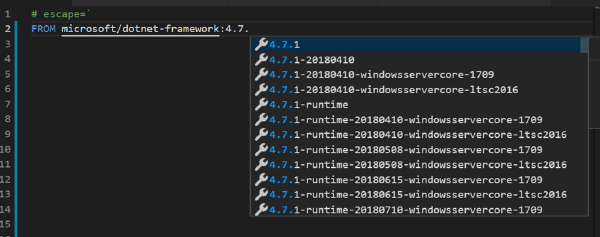
When you create a ASP.NET Core project in Visual Studio and add Docker support for it you will get a Docker file that looks something like this:\