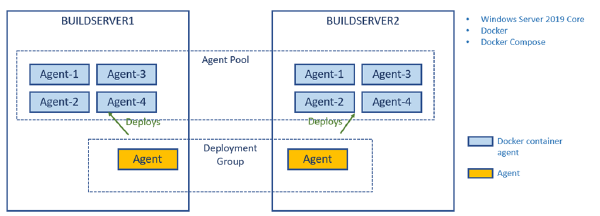
In a previous post I talked about how to create a build environment, including an Azure DevOps build agent, using Docker and Windows Containers. Using Dockerfiles, we can specify everything that we need in order to build and test our projects. Docker gives us Infrastructure as Code (no more snowflake build servers) and isolation which makes it easy to spin up multiple agents quickly on one or more machines without interfering with each other.
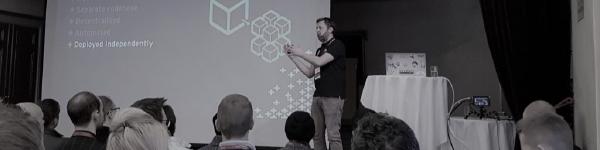
In March, Mathias Olausson and I will run two fullday deep dive in continuous delivery and microservices on Azure.
During the day you will learn about microservice architecture and how to build and deploy these using container technology and cloud services in Microsoft Azure.
The agenda looks like this:
Microservices architecture
Design principles- Breaking up the monolith
- Implementing trunk based development practices with Visual Studio Team Services Feature flags- Pull requests- Branch/Build policies
- Using container techonologies for packaging and delivering applications with zero downtime Docker for Windows- Kubernetes Azure Container registry Azure Container Services (AKS) Deployment pipelines with Visual Studio Team Services
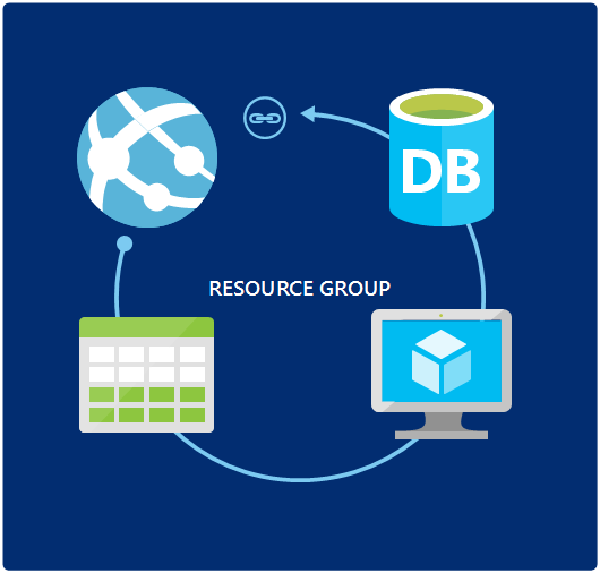
If you are running your applications in Azure, and in particular on PaaS, you need to take a look ARM templates as a way to manage your environments. ARM templates let’s you define and deploy your entire environment using JSON files that you store together with the rest of your source code. The deployment of ARM templates are idempotent, meaning that you can run them many times and it will always produce the same result.
We have decided that it is time to create a meetup group for people that are interested in the Microsoft ALM and DevOps story!
image Together with Mathias Olausson and a few other people we have created a new Meetup group and announced the first meeting.
Our plan is to continue meeting every month or so to learn about and dicuss new concept and ideas in the area of ALRM and DevOps on the Microsoft stack. This is a wide area, which spans all roles in the development process, so there will be something for everyone.
This post does not really cover something new, but since I find myself explain this to people now and then, I thought that I’d write a quick post on the subject.
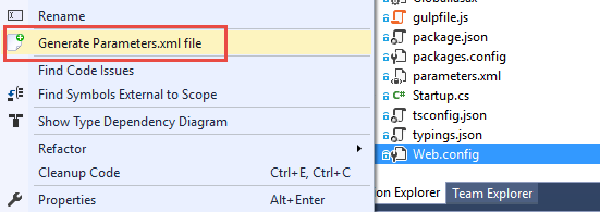
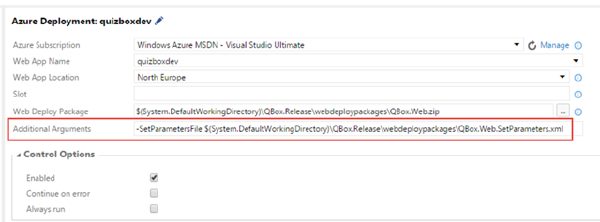
So, we want to create a web deploy package as part of our automated build, and then take this package and deploy it to multiple environments, where each environment can have different configuration settings, using VSTS Release Management. Since we only want to build our package once, we have to apply the environment specific settings at deployment time, which means we will use Web Deploy parameters.
Today Brian Harry announced that the first release of TFS 2015 Update 2 is available. It is an RC with a go-live license, which means that Microsoft will support you if you install it in production, and it will be a direct supported upgrade to RTM once it is released.
Read the full release notes for Update 2 RC1 here: https://www.visualstudio.com/en-us/news/tfs2015-update2-vs
One huge thing with the release is that Update 2 includes the new Release Management vNext feature that has up until now only been available in the service (although you can use that for on premise TFS and deployments). But now you don’t have to rely on VSTS for hosting the service, it is now part of TFS 2015 Update 2!
I have blogged before about how to deploy an Azure Web App using the new build system in TFS 2015/Visual Studio Team Services. In addition to configure an Azure service endpoint, it is really only a matter of using the built-in Azure Web App Deployment task.
However, in many cases I have decided not to use this task myself since it has been lacking a key feature: Applying deployment parameters using the SetParameter.xml file.